Everything the VCA asks for, built for a bodybuilder's office.
Six things the platform does, in the order you'll meet them. No integration project, nothing to install. The company seal is included and held for you; your files live in an EU data centre.
Set up each body type once
A model is everything that stays the same for every vehicle of a kind: type, variant, version, category, bodywork code and your usual "completed and altered as follows" wording. A Luton on a Master is one model; a dropside on the same chassis is another.
- Dropdowns populated from the VCA's own code lists, so invalid values can't be picked
- Field lengths enforced to the schema's limits as you type
- Edit any model later; existing files are unaffected
Vehicle models
| Name | Type / Variant / Version | Category | Body |
|---|---|---|---|
| Box body 3.5t | TC1 / AB2 / V3 | N1 | BB |
| Dropside 3.5t | TC1 / AB2 / V4 | N1 | BE |
| Curtainside 3.5t | TC1 / AB2 / V5 | N1 | BA |
| Panel van conversion | TC2 / CD1 / V1 | N1 | BB |
Checked before the file exists
Every vehicle is checked against the VCA's published UK IVI 2.0 schema before anything is made. If something is wrong, the box is named in plain English, not a field code.
- VIN format and length
- Whole-number measurements within the schema's digit limits
- Axle masses that add up to the mass in running order
- Dates in a sensible order, and no duplicate VINs
Step 2 — This vehicle's details
Axle masses (2290 kg) don't add up to the mass in running order (2400 kg).
Digital signatures, automatically
The VCA reject any file without a digital signature. With CoC AutoDocs the seal is included: we hold it for you with a provider on the UK trusted list, in your company's name, and every file is signed in the format the VCA portal accepts. Nothing to buy, install or renew. If your company already holds a certificate, you can use that on your own PC instead.
- Company seal for real submissions, included
- Built-in test key for the VCA test system, so you can start today
- Signing status always visible in the sidebar
Signing
Issued to your company · held for you
For the VCA test system only
A record you can hand to an auditor
Every file, who made it, when, how it was signed, and its status with the VCA. Corrections reissue with the next version number, exactly as the VCA's system expects, and the old file is marked superseded.
- Statuses: made, uploaded, accepted, rejected, superseded
- "Correct and reissue" loads the old details for editing
- Export the whole history as a spreadsheet for Conformity of Production checks
History
| VIN | Model | Made | By | Signature | Status |
|---|---|---|---|---|---|
| TC1TEST0000000104 | Box body 3.5t | 04/09 09:41 | Sam | Signed | Accepted |
| TC1TEST0000000103 v2 | Dropside 3.5t | 04/09 09:12 | Sam | Signed | Uploaded |
| TC1TEST0000000103 | Dropside 3.5t | 03/09 16:20 | Priya | Signed | Superseded |
| TC1TEST0000000102 | Box body 3.5t | 03/09 11:05 | Sam | Signed | Accepted |
Two minutes a vehicle
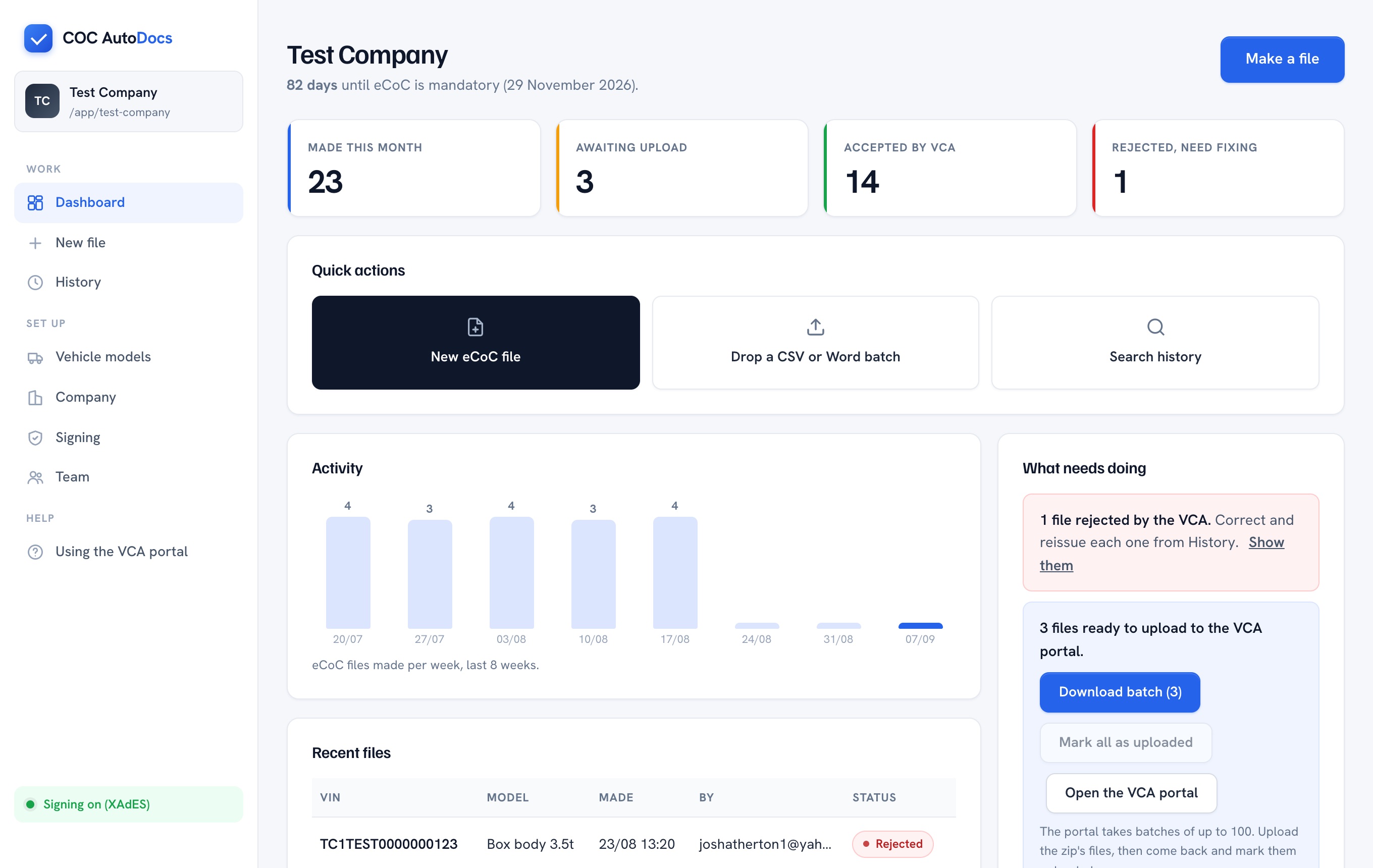
Pick the model, type the VIN and the numbers from the build sheet, press the button. That's the whole job for the office, and four counters at the top show where this month stands.
- Drop a mapped Word certificate to fill the form instead of typing
- Batch: drop several certificates and get a zip of signed files
- Works on any PC with a browser; nothing to install
See it with one of your own vehicles.
Open the app, set up your company and a model, and make a file. It takes less time than reading this page.