What happens, in the order it happens.
Three screens you'll use once, one you'll use every day, and what the VCA does with the result.
Set up once
Company details and your vehicle models. Ten minutes.
Enter the vehicle
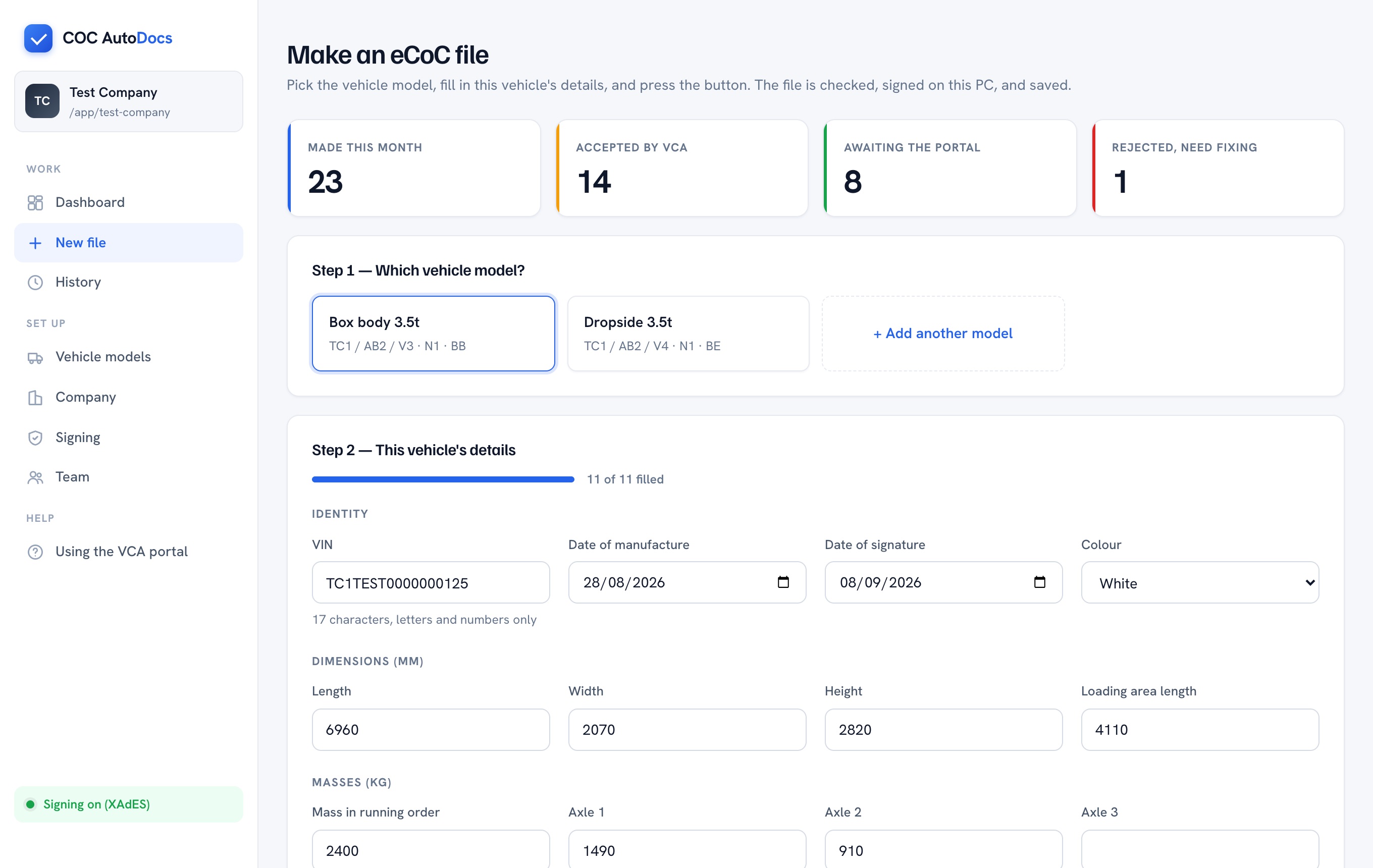
Pick the model, type the VIN and the numbers.
Check and sign
Validated against the VCA schema, signed to XAdES.
Upload to the VCA
Through the portal, under your own account.
Once: your company
Name and address, your type-approval number and the date it was granted, which scheme it sits under (GB unlimited, medium series, and so on), and who signs certificates. This goes into every file, so it's filled in once and left alone.
Worth checking first. If your approval is national small series (NSSTA), you're exempt from eCoC entirely and can carry on with paper. Whoever holds your type-approval file will know.
Once per body type: vehicle models
Everything that's the same for every vehicle of a kind: type, variant, version, category, bodywork code and your usual wording. The dropdowns are populated from the VCA's own code lists, so you can't pick something the schema rejects.
Every vehicle: the form
Pick the model, type the VIN, the build date, and the dimensions and masses off your build sheet. Before anything is made, it checks that the VIN is 17 characters of capitals and digits, every measurement is a whole number within the schema's limits, the axle masses add up to the mass in running order, dates are in order, and you haven't already made a file for this VIN. If something's wrong it names the box. Then the file is signed and saved.
Signing
The VCA reject any file without a digital signature. That signature comes from a certificate issued to your company, an electronic seal, loaded into CoC AutoDocs once per PC. Files are then signed to the XAdES standard the VCA's guidance points to. A built-in test key lets you upload to the VCA's test system today, before your certificate arrives.
Upload
You upload the file to the VCA eCoC portal under your own manufacturer account, singly or in batches of up to 100. The VCA don't allow third parties to submit on your behalf, and CoC AutoDocs never touches your account.
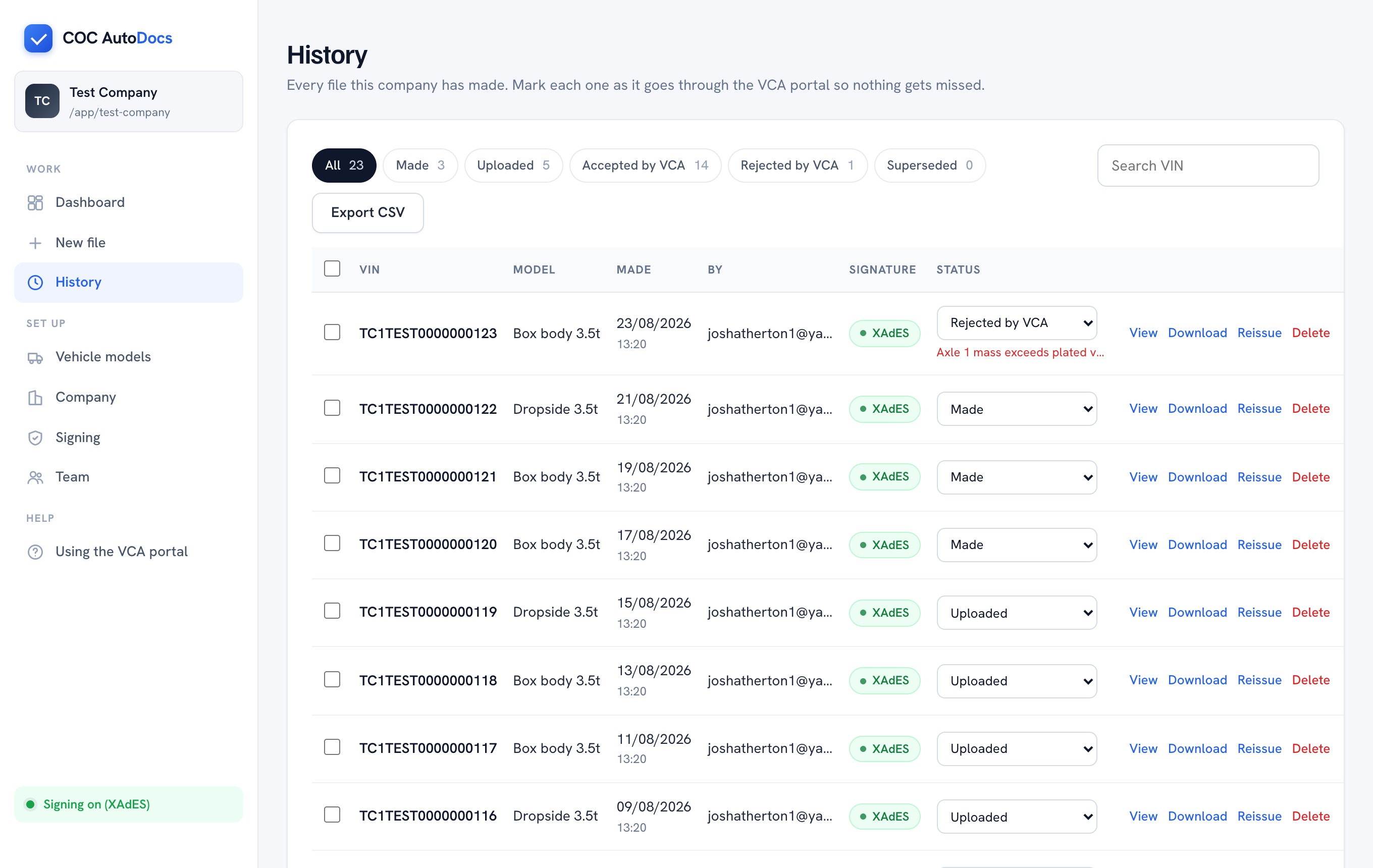
History
Every file made on that PC, with who made it and when. Mark each one uploaded, then accepted or rejected. "Correct and reissue" loads the old details; the new file goes out with the next version number and the old one is marked superseded. Export the lot as a spreadsheet for Conformity of Production records.
What the VCA actually check
From their published guidance: that the file matches their schema, that a signature is present, and that it isn't a duplicate VIN and version. They've said they're not yet verifying the certificate behind the signature. CoC AutoDocs handles the first two before you ever upload; the version number handles the third.